Fare preferences
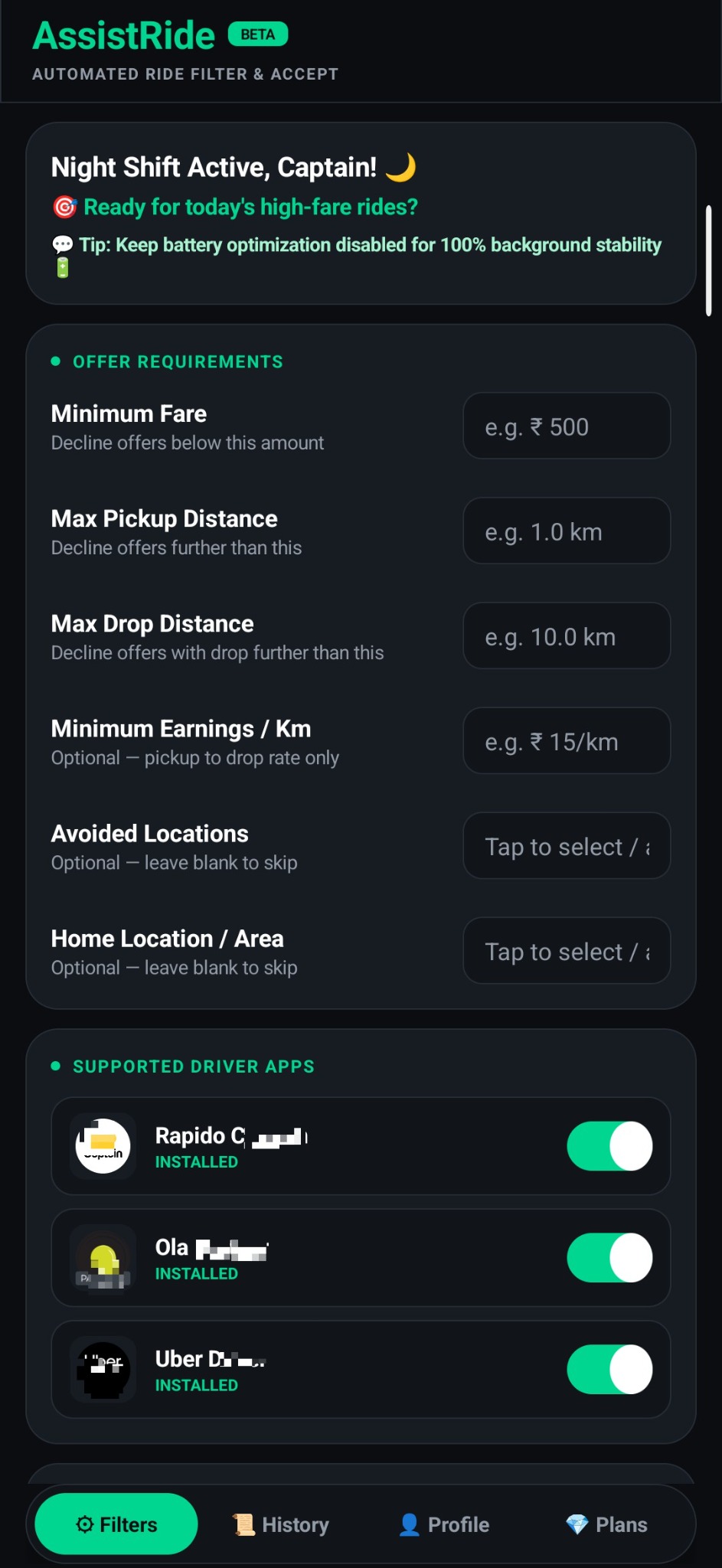
Set a minimum fare that matches your own earning goals.
 AssistRide
Set your ride preferences. Review offers at a glance. Keep your driving workflow focused with AssistRide.
AssistRide brings useful ride information and configurable preferences into one focused Android experience.
Set a minimum fare that matches your own earning goals.
Configure pickup and drop-distance limits for incoming offers.
Review supported ride-offer details and use your configured workflow.
Review saved details for rides confirmed as accepted by the app.
Use supported privileged actions through Shizuku when configured and authorized.
A dark interface designed to keep important settings and information easy to find.
Feature availability depends on app version, Android version, device configuration, supported driver-app interfaces and granted permissions.
Set minimum fare, pickup distance, drop distance and optional location preferences. Enable only the driver apps you use.
Get the official AssistRide APK from the developer's release link.
Follow the setup guidance for Shizuku and the permissions you choose to enable.
Enter your fare, distance and optional location preferences.
Check offer details and review confirmed ride records in History.
Some AssistRide functions may require additional Android permissions or Shizuku authorization. Review each permission before enabling it.
Install AssistRideUse the official APK source provided by the developer.
Start Shizuku, if requiredSee the official Shizuku documentation ↗.
Review permissionsUnderstand Accessibility, overlay and other access before enabling.
Test your settingsCheck the workflow carefully before relying on it.
Shizuku is a separate third-party project. AssistRide is not affiliated with or endorsed by Shizuku, Ola, Rapido or Uber. Compatibility and permissions may change.
The official APK download link will be published here by the developer.
Download AssistRide ↓Some supported functions may use Shizuku. Requirements depend on the feature and app version. Follow the in-app setup instructions.
No. AssistRide is a ride-offer assistance tool. Ride availability, fare values and acceptance are controlled by the supported driver platform and its systems.
Support depends on the current AssistRide release. Check the app's supported-app list and release notes for the latest compatibility information.
Use the developer's official support email when it is published below.